Learning Architect Portfolio

I design scalable training programs and in-app experiences that drive learner retention, feature adoption, and behavioral change.

Aligning Strategy

My learning philosophy focuses on one ideal: people aren't looking for a bulldozer; they just want the dirt moved. What this means it that before I develop a learning solution, I ask the hard questions to figure out what the actual business or learning problem is. The following artifacts show how I accomplish this.
Gap Analysis Template

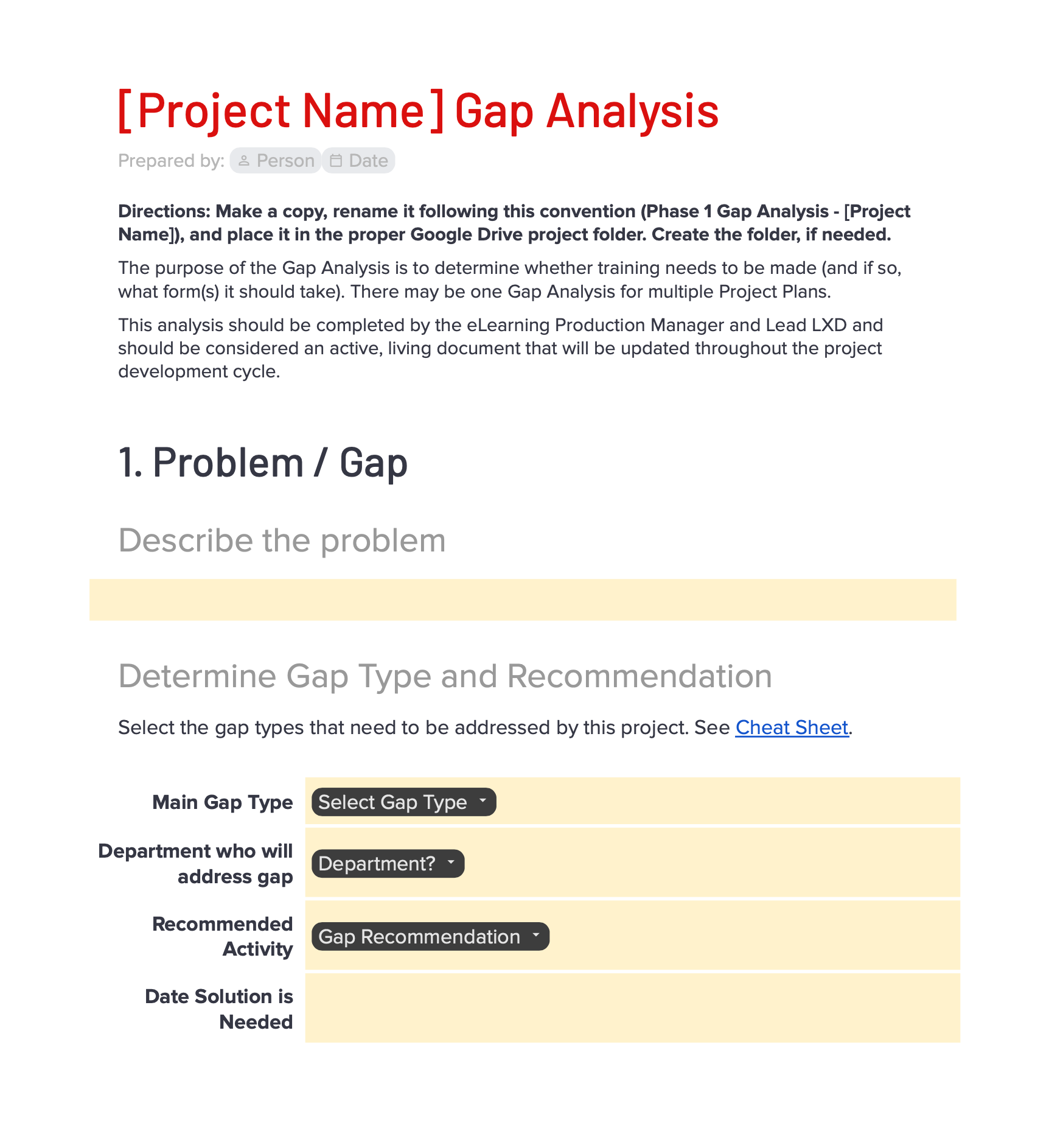
Gap Analysis Template

Operational Stakeholders: L&D Leadership, Product Owners, Subject Matter Experts
The Challenge: Training requests often felt like order-taking—stakeholders would ask for a course without exploring whether training was the actual solution to their business problem.
My Solution: I introduced a standardized assessment tool that forces us to pause, align on root causes, define clear business goals, and agree on success metrics before any development begins.
View Gap Analysis Tool
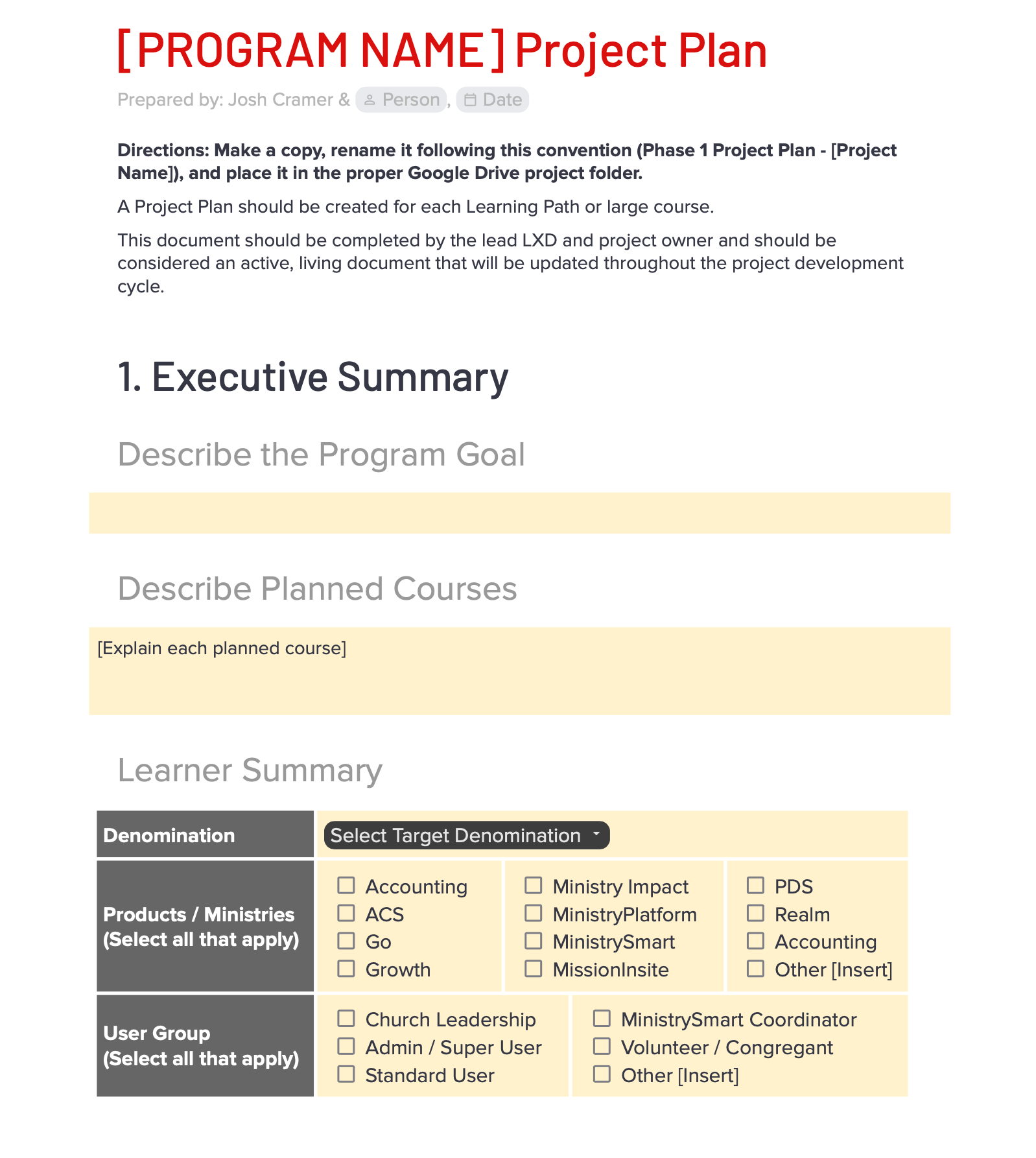
Project Plan Template

Project Plan Template

Operational Stakeholders: L&D Leadership, Instructional Designers, Media Specialists
The Challenge: Without a shared view of project timelines and dependencies, handoffs between design and media teams frequently caused bottlenecks and missed launch dates.
My Solution: I created a centralized project blueprint to map out dependencies, track QA milestones, and streamline the team's project lifecycle so everyone stays in sync.
View Project Plan Template
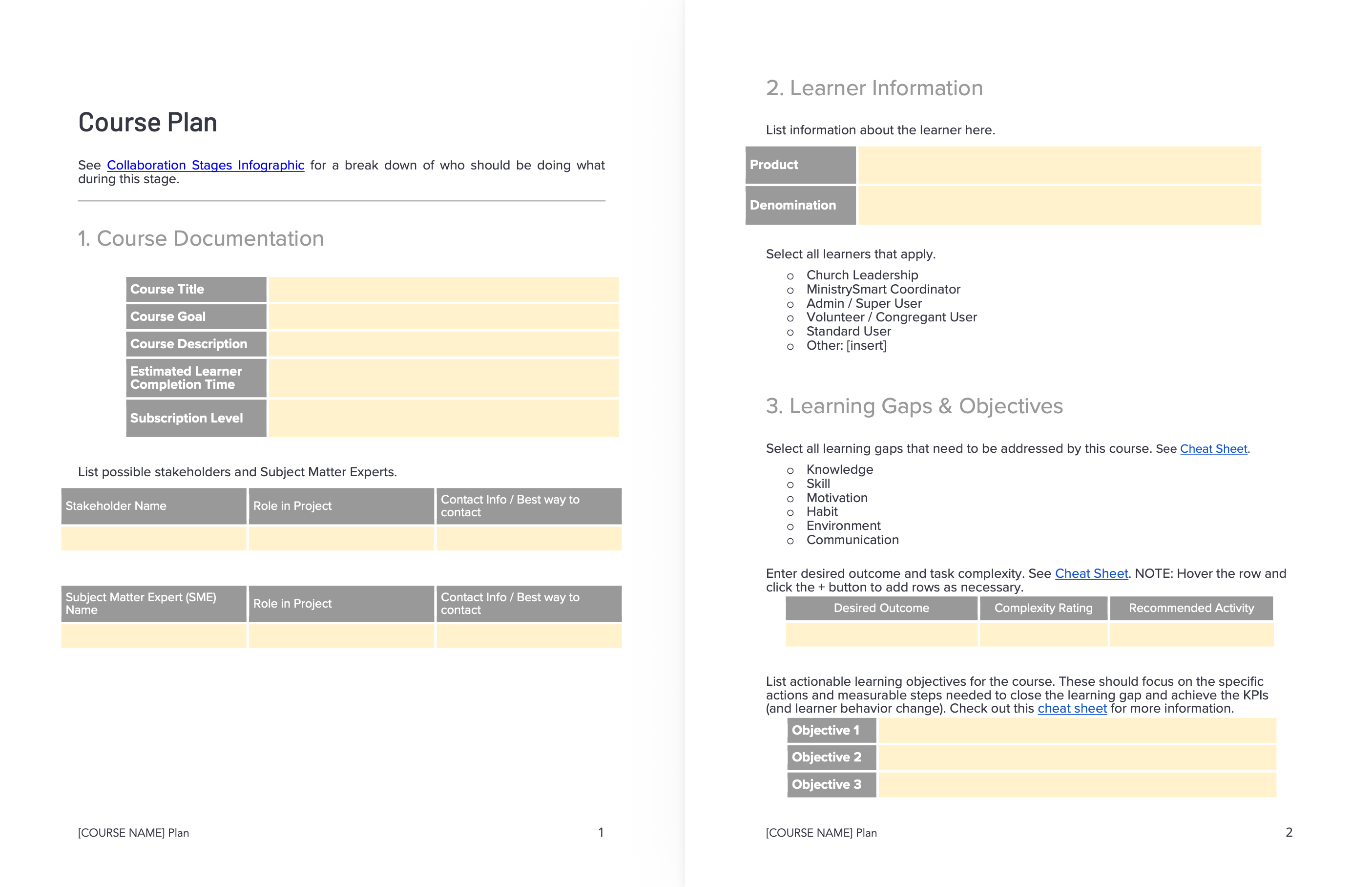
Course Design Template
Course Design Template

Operational Stakeholders: Instructional Designers, Media Specialists, Content Developers
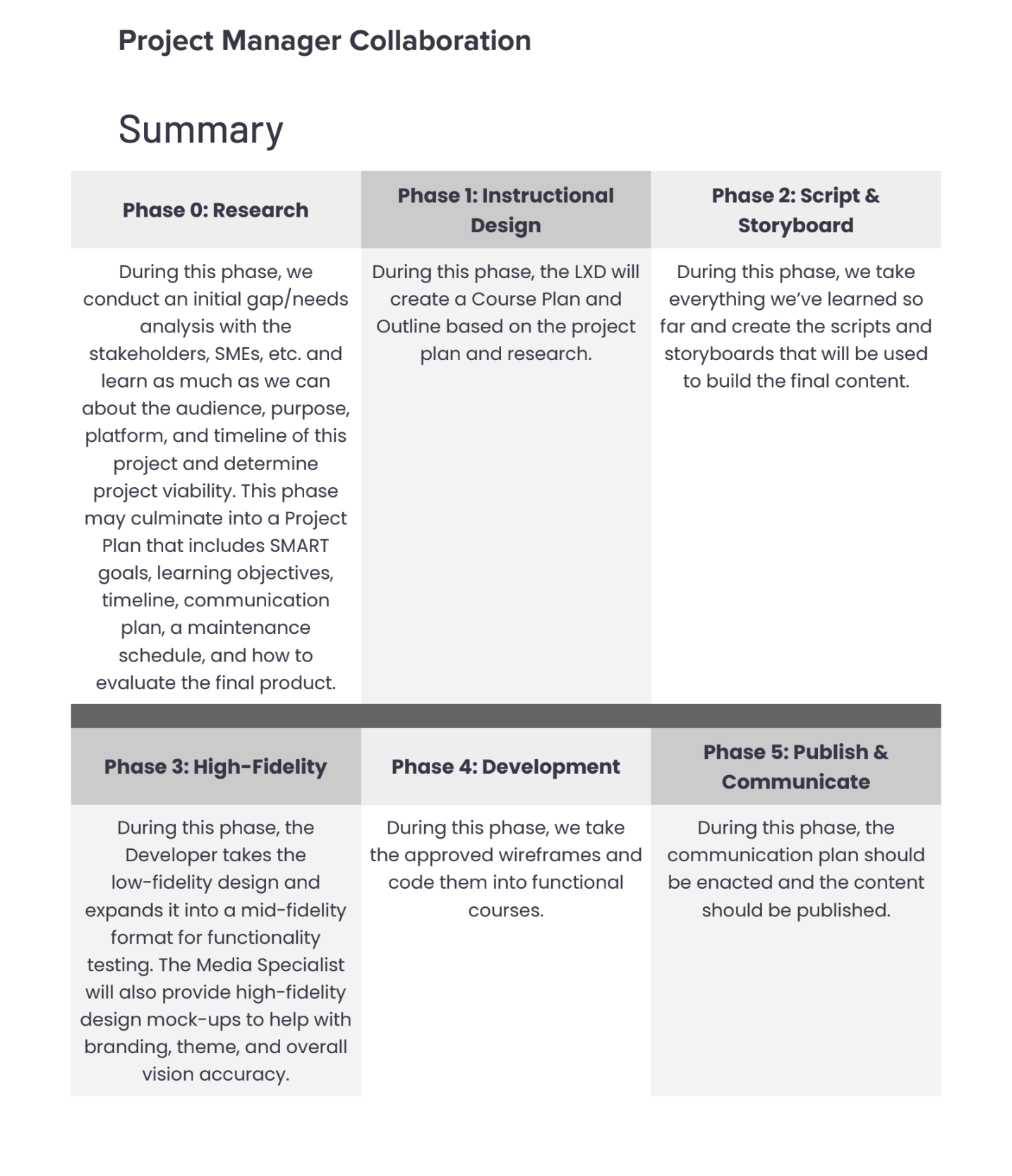
The Challenge: Each designer formatted their courses differently, which led to a fragmented learning experience and made maintaining older courses more difficult than need be.
My Solution: I worked with the team to establish a standardized instructional process. Giving the team a repeatable blueprint helped us build faster while keeping the learner experience more consistent.
eLearning Course Development Process

Course Development Process

Operational Stakeholders: Project Leads, Instructional Designers, Media Specialists, Developers
The Challenge: Handoffs between design, media, and development were causing friction, leading to stalled timelines and siloed work.
My Solution: I designed a standardized workflow utilizing project leads to seamlessly manage course handoffs across departments. Measured two quarters post-launch, this structured approach drove a 48% decrease in total development time.
View Development Process

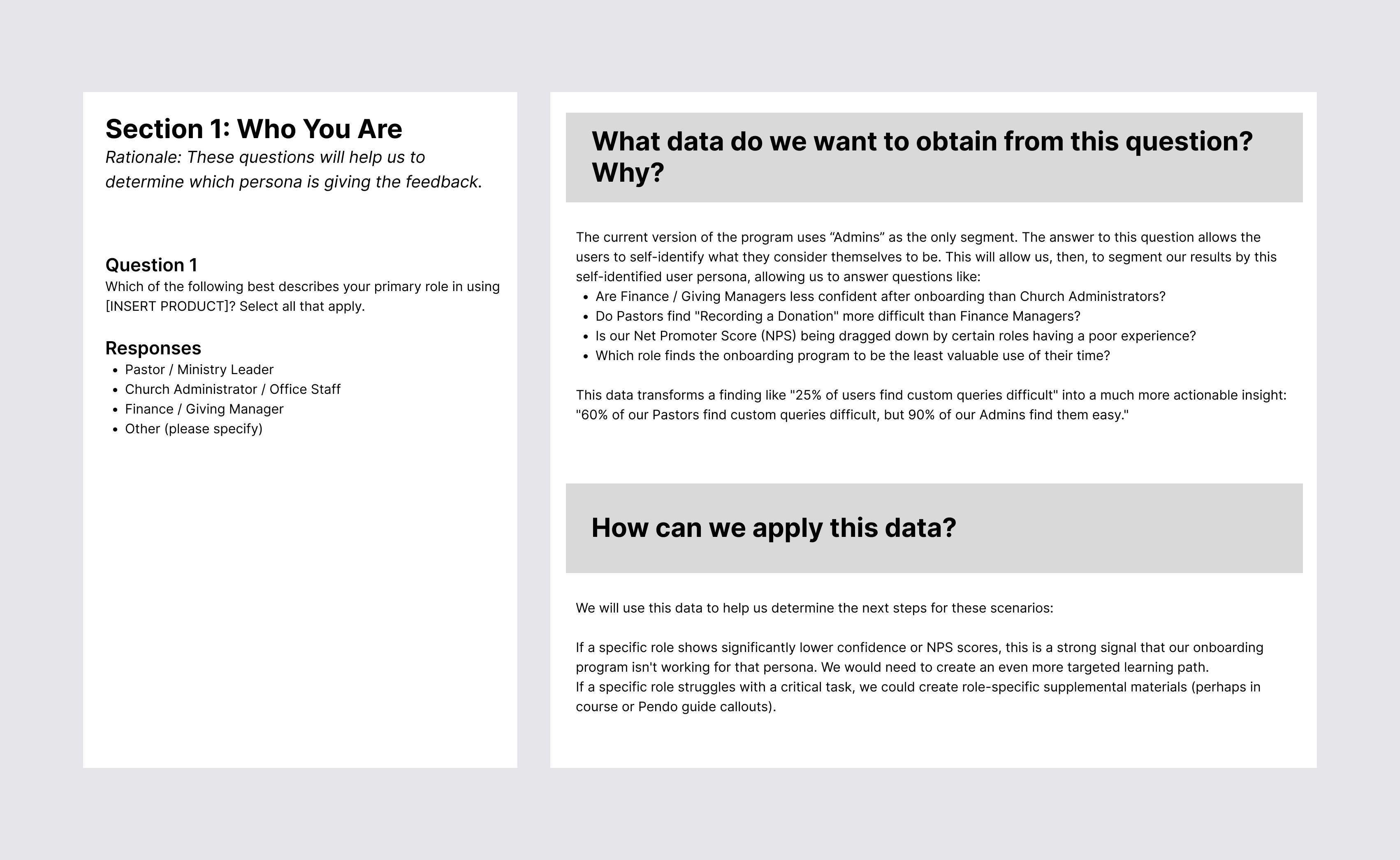
Onboarding Survey

Operational Stakeholders: Product Leads, L&D Leadership, & Customer Success
The Challenge: We needed a structured evaluation tool to move beyond superficial feedback and cleanly separate training gaps from software usability issues.
My Solution: I designed an in-depth 11-question survey framework that maps every question to a specific business goal, segments feedback by user persona, and establishes clear contingency plans for at-risk users.

Designing the Learning Ecosystem

Effective customer education rarely happens in a traditional LMS alone. Check out these to projects to see how I've mapped out decentralized learning paths where I blended in-app performance support, support documentation, and 12-month roadmaps. To me, it's about delivering just-in-time training right where the user is to drive feature adoption and stop early churn in its tracks.

12-Month In-App Education Roadmap Document

12-Month In-App Education Roadmap

Target Audience: Internal Stakeholders, Product Owners & SaaS Client Base
The Challenge: Our product owner needed an accessible, live-ready structure to deploy targeted content through Pendo, but we lacked a centralized plan aligned with seasonal user needs.
My Solution: Working alongside our product owner, I designed an ongoing 12-month roadmap tying directly into our Ministry Content Calendar. This system allows internal stakeholders to easily push out seasonal, just-in-time guides (scheduled for 2-week rotations starting in January), ensuring our teams can effortlessly deliver timely elearning support to clients right when they need it most.
Finding a Solution Beyond eLearning
Siloed Software Apps (MinistryPlatform / MissionInsite / Growth)
ACST Help Center Embedded Videos
iorad Activity Hub Interactive Guides
Enterprise LMS (Future State Integration)

Decentralized Onboarding MVP

Target Audience: New MinistryPlatform, MissionInsite, and Growth Method Users
The Challenge: New product acquisitions lacked direct LMS integration, leaving users without a structured path to get up to speed during onboarding.
My Solution: Rather than waiting for a heavy backend integration, I built an agile MVP combining modular iorad hubs and embedded training videos directly in the Help Center. This provided immediate support, stabilized onboarding, and gave us the runway needed to build out the permanent LMS setup later.

Crafting Solutions

I don't just map out high-level strategy; when there's a gap, I like to get my hands dirty and build the architecture. This section highlights my technical execution—from leveraging AI to drastically cut asset production costs by 92%, to engineering this custom, responsive web portfolio from scratch. Though not shown here, I can also create content using Articulate, Lectora, and more.

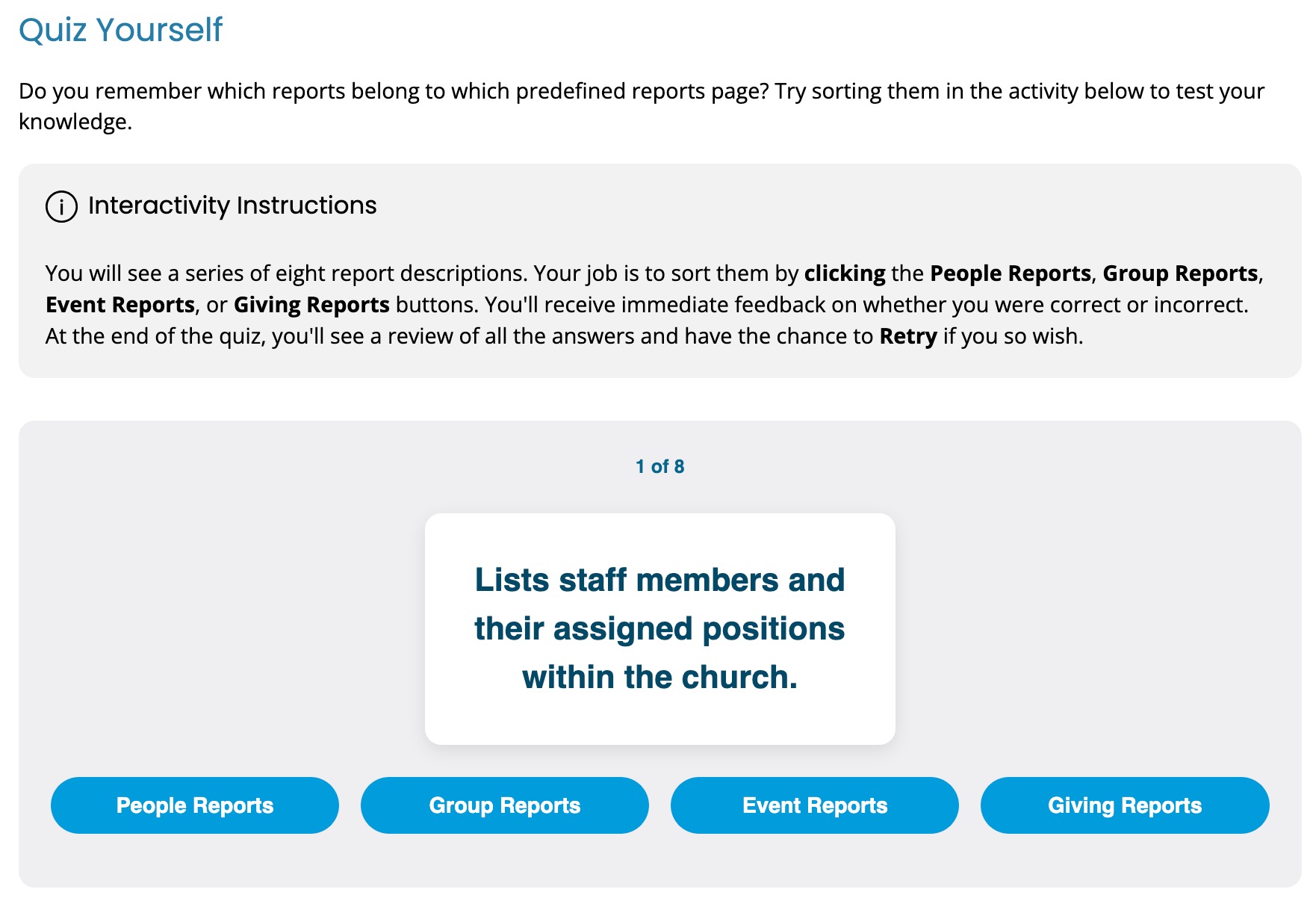
Sorting Activity

Scaling Interactivity with AI

Target Audience: Development Team & End Learners
The Challenge: We needed to phase out legacy H5P activities, but our development team was at capacity and lacked the bandwidth to code custom interactive replacements.
My Solution: To bridge the gap, I used Gemini to rapidly prototype and build lightweight, custom replacement components like sorting and hot-spot activities—taking a heavy lift off the developers and keeping the project moving forward.

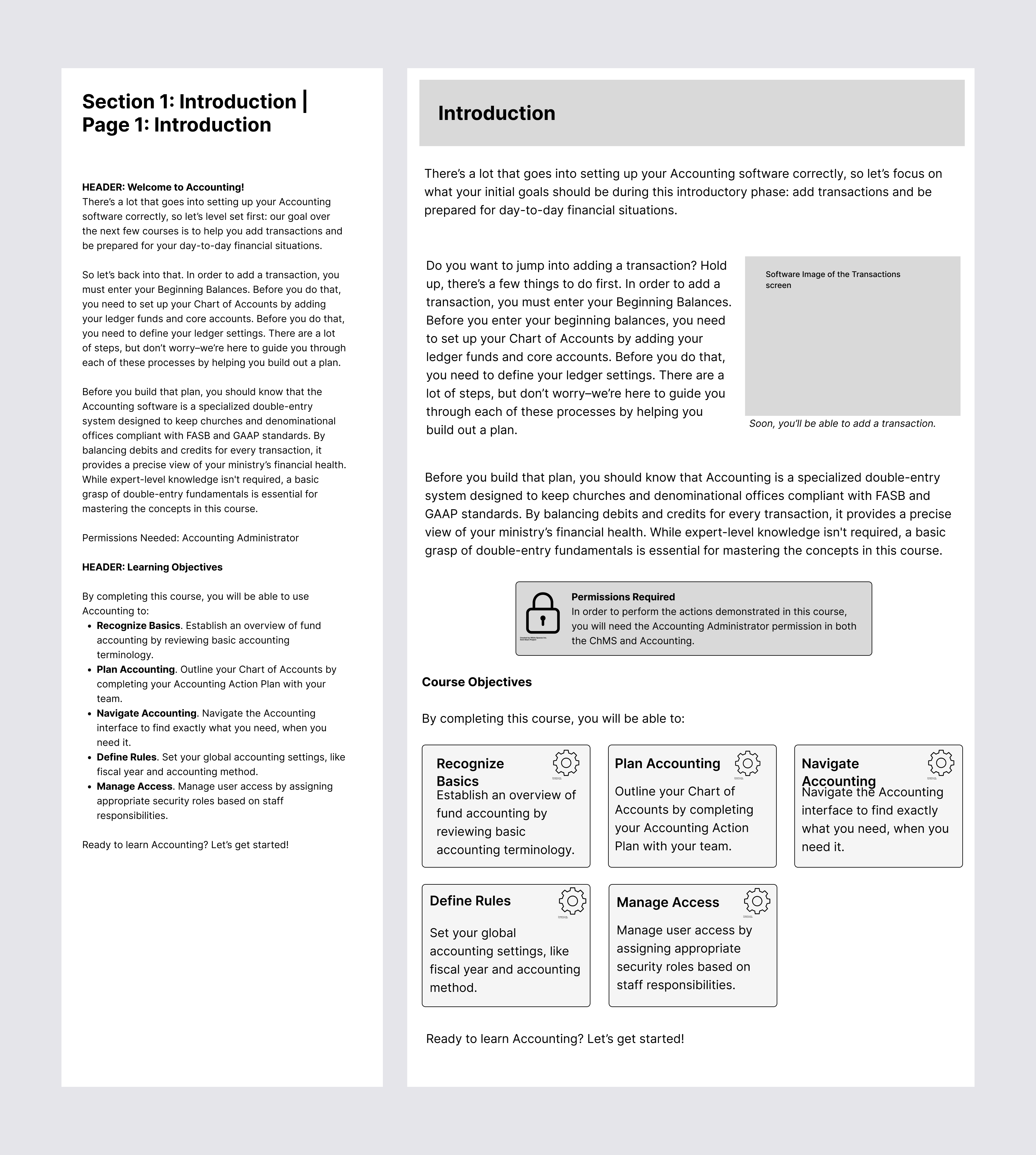
Onboarding eLearning Course

Target Audience: New Accounting Software Users
The Challenge: New users often found the initial accounting setup daunting, creating a cognitive bottleneck that delayed their time-to-value.
My Solution: I engineered a highly scaffolded learning experience aligned directly with the software's UX. By using a variety of interactive components like targeted hotspots, step-by-step accordions, and drag-and-drop knowledge checks, the curriculum provides an actionable setup blueprint. This redesigned learning path significantly reduced setup hesitation, directly contributing to a substantial increase in users successfully executing transactions within their first month.
Launch Course Draft →

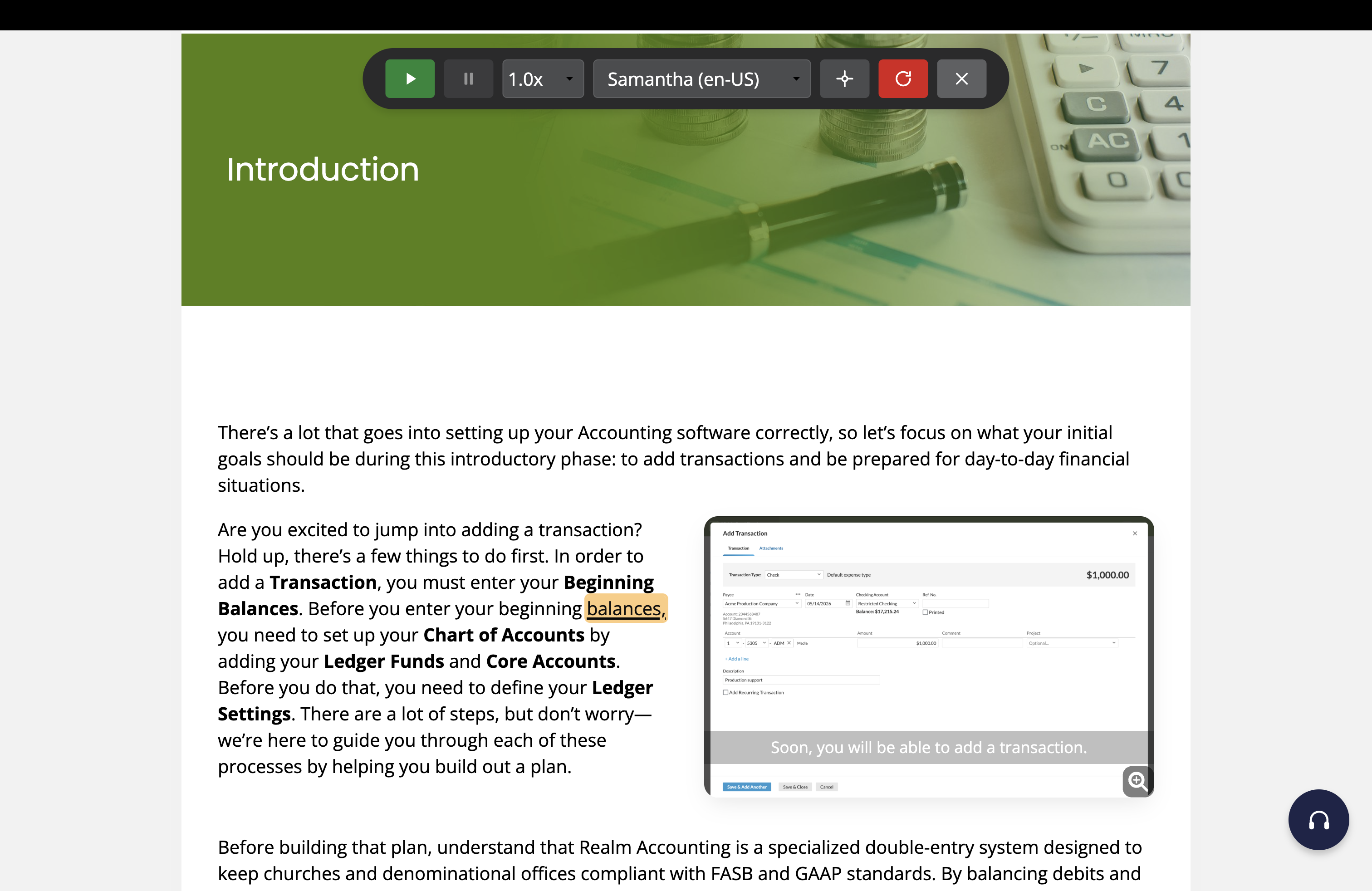
Browser-Based Audio Reader & Highlighting Tool

Target Audience: Learners with Accessibility Needs & Multi-Modal Preferences
The Challenge: Learners frequently needed a flexible way to listen to course content (this was one of our most requested features in course surveys), but I didn't want to force them to download heavy external plugins or rely on clunky third-party tools.
My Solution: Working with AI, I engineered a lightweight audio reader using standard JavaScript and the browser's built-in speech API. It injects a simple floating toolbar that reads the lesson text aloud and highlights the active words in yellow as it goes. It gives learners total control over the reading speed and voice, all while operating entirely behind the scenes to keep the course files small and easy to maintain.

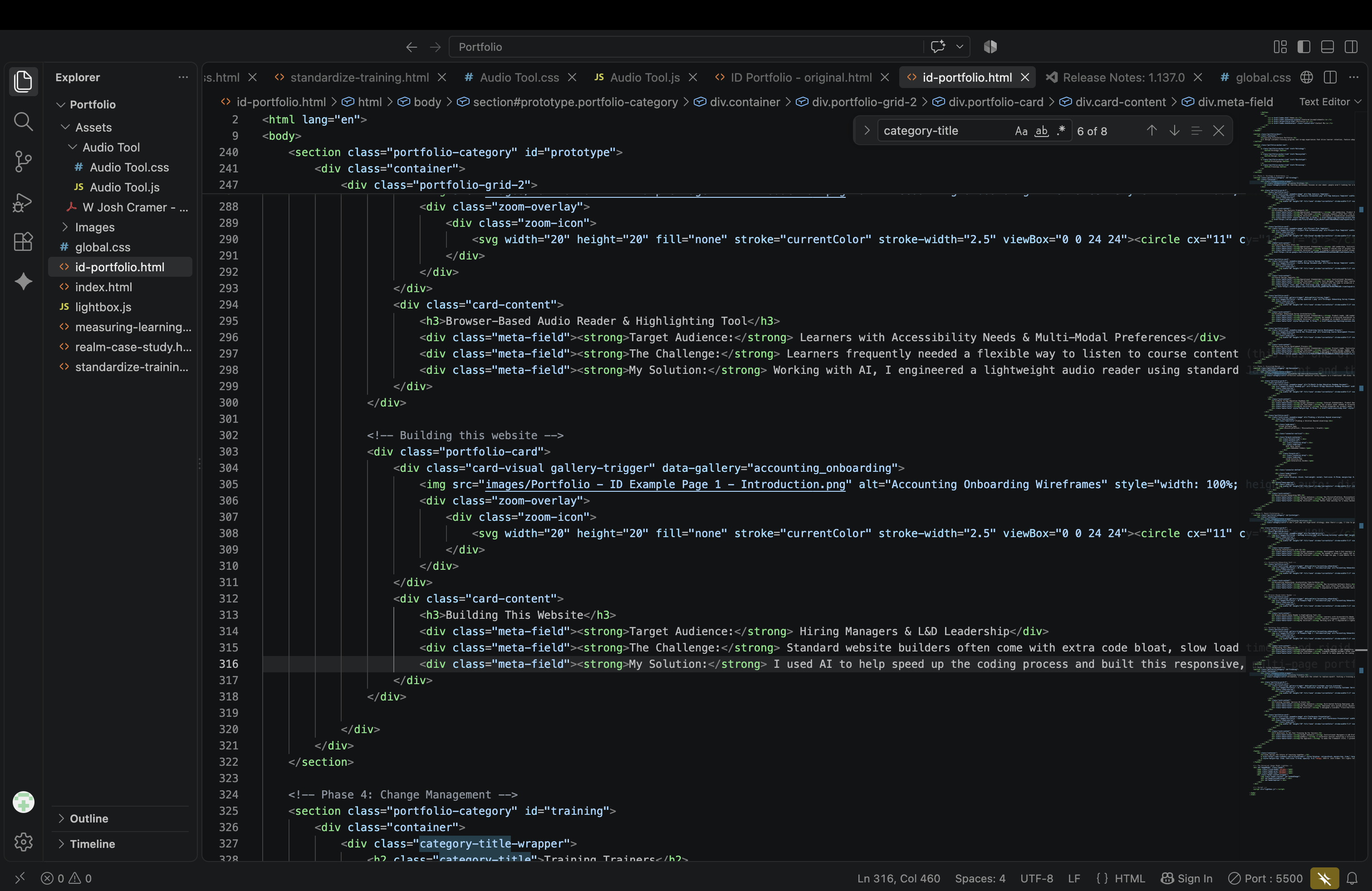
Building This Website

Target Audience: Hiring Managers & L&D Leadership
The Challenge: Standard website builders often come with extra code bloat, slow load times, and rigid templates. I wanted a portfolio that didn't just talk about my technical skills and systems thinking, but actually demonstrated them in practice.
My Solution: I used AI to help speed up the coding process and built this responsive, multi-page portfolio entirely from scratch. By sticking to clean HTML, a centralized CSS design system, and lightweight JavaScript for the interactive image galleries, I bypassed heavy frameworks. The result is a fast, clean, and scannable experience that proves I can successfully build the systems I design.
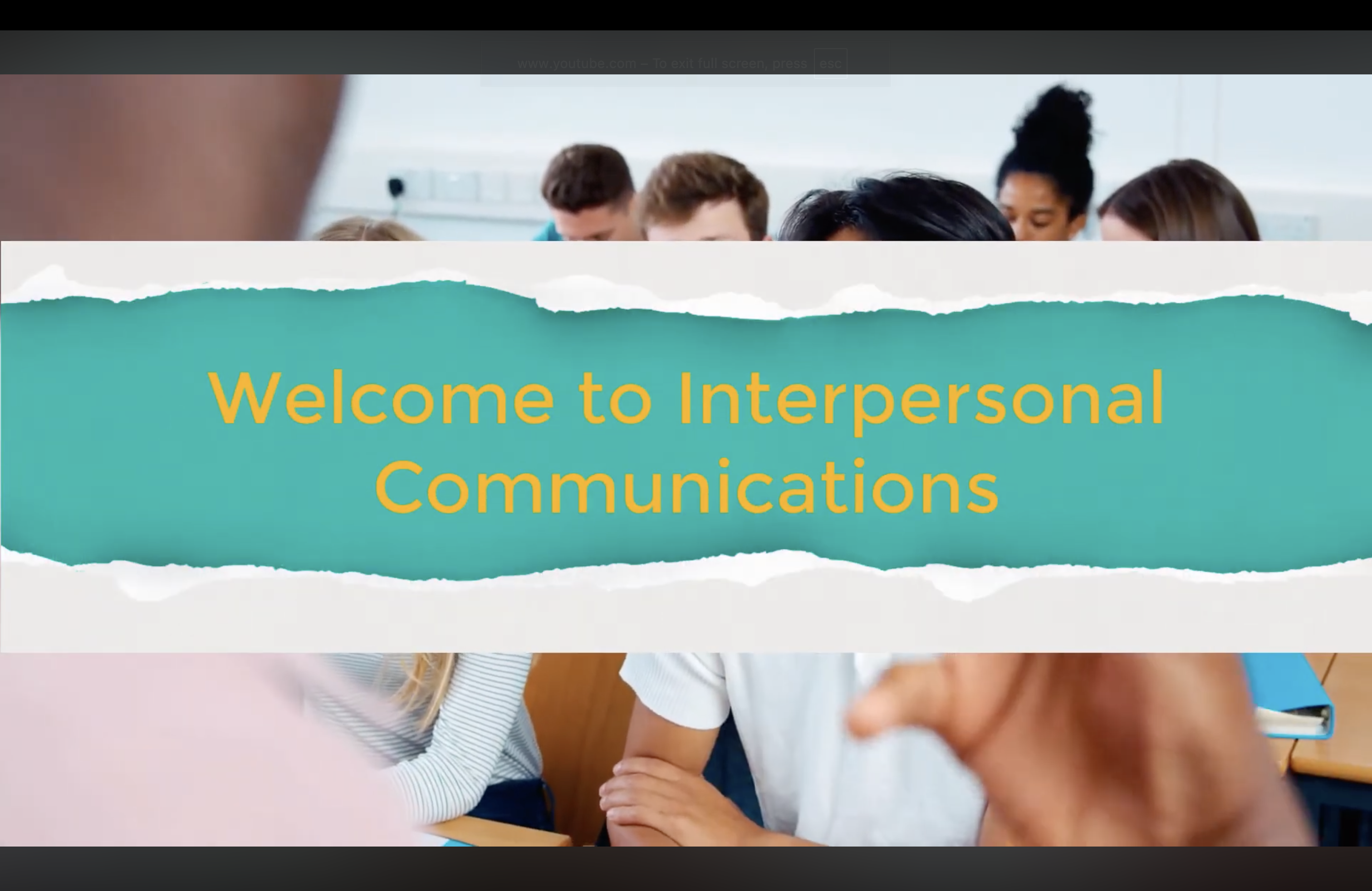
College Course Introduction

Faciliation and Multimedia Example

Target Audience: Asynchronous Learners
The Challenge: Most online students need audio and visual connection to feel like they're a part of the class. When learners feel disconnected from their instructor, it's easy for them to check out, miss expectations, or get confused about how the course actually works.
My Solution: While my focus is high-level strategy, I love helping where I can. In this case, I scripted, shot, and edited this video to build immediate empathy, clarify expectations, and prove I can execute high-quality video when needed.

Training Trainers

Ultimately, I lead with the intent to replace myself. Scaling a training program means empowering local leaders and subject matter experts to deliver a consistent, high-quality experience. These materials show how I build comprehensive facilitator guides, collaborative activities, and standardized scripts to help transition in-person trainers from traditional lecturers into dynamic guides on the side.

Training Customer Service At Scale

Target Audience: Distributed Parking Employees (US & Canada)
The Challenge: Employees were spread across decentralized locations without easy LMS access, making it difficult to deliver consistent, enterprise-wide customer service training.
My Solution: I designed a scalable "Train-the-Trainer" model, equipping local managers with comprehensive Instructor Guides, standardized activities, and step-by-step facilitation scripts so they could successfully run the program locally.
Conference Presentation

5 Questions to Set Your Training Up For Success

Target Audience: Instructional Designers & L&D Professionals
Summary: A conference session exploring a structured 5-step architectural planning tool to govern course development.
The Approach: To make the framework stick, I grounded it in storytelling—using an original children's story parody about "Mel the Astrofrog" to illustrate why building training without a strategy falls apart.